
How-To Guide
How to Build a Local Business Prospect List
Building a local business prospect list means finding businesses in a specific city and industry, qualifying them based on opportunity signals like website quality and review count, and organizing them into an actionable outreach list. Without a structured process, this means opening Google Maps, clicking each listing one by one, checking for a website, noting review counts, and copying everything into a spreadsheet — a process that takes 2–4 hours for 50 businesses and produces inconsistently formatted results that still need cleanup before outreach. LocaMapHQ replaces most of this manual work with a structured city-and-industry search that includes website signals, review context, and one-click lead saving built in. The result is a clean, exportable prospect list that your agency can use for web design outreach, local SEO pitches, or any service targeting local businesses in a specific market. This guide walks through the full process — from defining your market to exporting a finished list ready for outreach.
Why building prospect lists manually is slow
- Manual data collection from Google Maps is time-consuming and error-prone
- No consistent format for the data you collect across different searches
- Hard to qualify prospects without visiting each website individually
- Spreadsheets drift in format across different searches and team members
- No way to filter by website status or review count without clicking into each listing
- Re-researching the same market next month requires starting from scratch
The manual method for building a prospect list
- 1Choose your target city and industry and write them down as your search parameters
- 2Open Google Maps and search '[industry] in [city]'
- 3Scroll through results and click each listing to view details
- 4Check each listing for a website link — absent link may indicate no website
- 5Visit any linked website to verify whether it exists and assess its quality
- 6Note the review count and rating for each business as a qualification signal
- 7Copy business name, phone, address, and notes into a spreadsheet row
- 8Clean and reformat the spreadsheet before it is ready for outreach
A structured approach with LocaMapHQ
- 1Sign up for LocaMapHQ and choose a credit plan that fits your search volume
- 2Enter your target city and industry into the search interface
- 3Review the results — website presence, review count, and listing signals are visible per business
- 4Apply filters to narrow results by website status, review threshold, or category fit
- 5Review each prospect and decide whether it matches your offer and qualification criteria
- 6Save qualifying prospects to your account list with any notes you want to include
- 7Run additional searches for the same city with related categories or adjacent markets
- 8Export the full saved list as a clean, consistently formatted CSV for outreach planning
Who this is for
- Web design agencies building city-specific outreach lists focused on no-website and outdated-website businesses
- Local SEO agencies prospecting for businesses with low review counts, thin local pages, or weak search visibility
- Outbound agencies building weekly or monthly niche batches for client campaigns
- Marketing consultants who serve multiple niches and need organized prospect data across cities
- Freelancers testing a new market or niche before committing to a full outreach campaign
How LocaMapHQ helps
No manual data entry — search returns organized results with key signals visible
Website presence signals built into results for faster qualification without clicking each listing
Save and organize prospects across multiple searches in one place
Export a clean CSV formatted for CRM or outreach tool import
Consistent data format across all searches and team members
Rerun the same search at any time to refresh the list with current business data
Prospect list quality checklist
- [ ] City, metro area, or service region is clearly defined before the search begins
- [ ] Industry or business category matches the service being offered
- [ ] Each saved prospect has been individually reviewed — not bulk-added from search results
- [ ] Website status has been checked for each saved prospect
- [ ] Review count and rating have been noted as a business activity signal
- [ ] Weak-fit businesses have been removed before export (chain locations, recently closed, wrong category)
- [ ] Notes have been added for each prospect explaining why they qualify
- [ ] A priority level (high / medium / low) has been assigned to each record
- [ ] CSV fields have been verified to match the import format of your outreach tool or CRM
- [ ] Outreach compliance has been reviewed for the target market and channel
Common mistakes to avoid
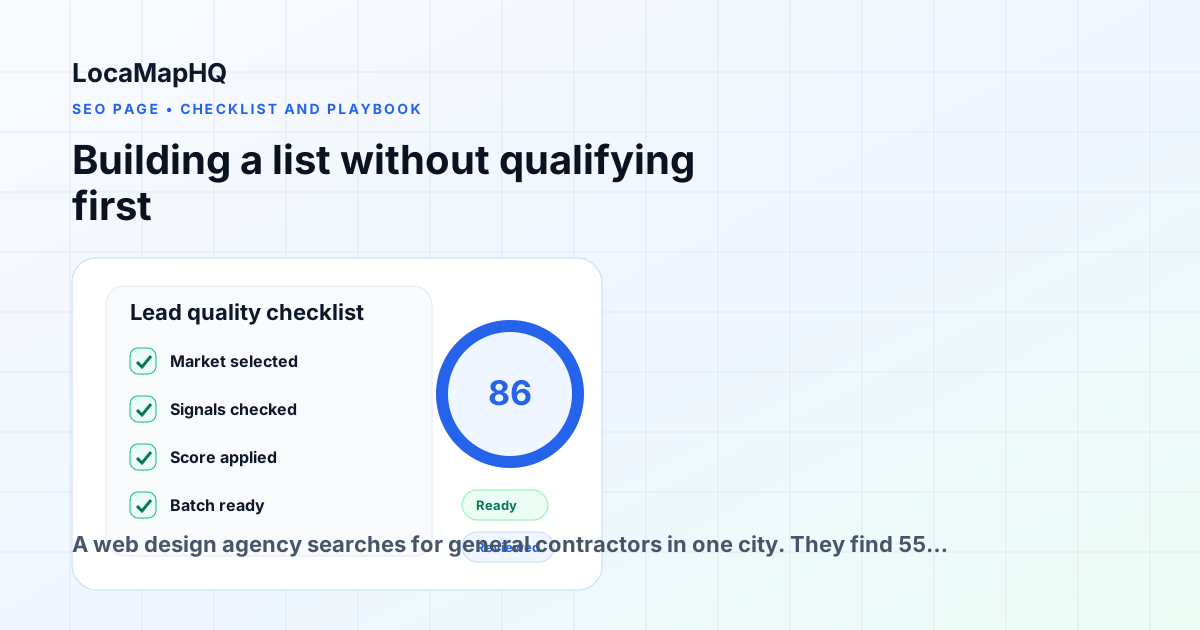
Building a list without qualifying first
Don't add every business in a search to your outreach list. Review website status, review count, and category fit before saving each prospect. A smaller, qualified list outperforms a large unreviewed export.
Using inconsistent data formats
LocaMapHQ exports in a consistent CSV format — use this instead of building your own spreadsheet from scratch each time. Consistent formats make filtering, sorting, and CRM imports significantly faster.
Targeting too many markets at once
Start with one city and one industry. Build a focused list, test your outreach, then expand to new markets once you have a qualification standard that produces results in the first market.
Skipping the final review before outreach
Always do a final pass through the list before it reaches an outreach tool. Remove chain locations, recently closed businesses, and any records where the qualification signal is weaker than it appeared during initial research.
Not adding notes before export
Notes added during research make personalized outreach significantly faster. Include the specific signal you observed — website gap, review count, category context — before exporting so the outreach writing has something specific to reference.
Treating the prospect list as a permanent database
Local business data changes. Websites get built, businesses close, new ones open. Re-run searches periodically to refresh data rather than relying on a list built months ago as if it were still current.
Practical examples of building a local prospect list
Web design agency targeting home service contractors
A web design agency searches for general contractors in one city. They find 55 listings and filter for businesses with no website and 20+ reviews. Of those, 14 qualify. Each gets reviewed individually, notes are added about the specific gap, and the list is exported as a CSV for a cold email campaign. The research takes under 30 minutes from start to export.
Local SEO agency building a review gap list
An SEO consultant searches for dental practices in a metro area. They filter by low review count compared to category leaders. They find 11 practices with fewer than 20 reviews while competitors average 80+. Each gets saved with a note about the review gap. The exported list becomes the basis for a 'free local SEO audit' outreach campaign.
Outbound agency building weekly niche batches
An outbound agency builds weekly prospect batches across three cities for a web design client. Each Monday, one team member runs three city-and-industry searches, saves 20–30 reviewed prospects from each, and exports a combined CSV. The client receives a clean, annotated list every Monday without any additional research work on their end.
Freelancer testing a new market
A freelance web designer wants to test whether HVAC companies in a new city are a viable niche. They run one search, find 22 businesses, and identify 8 with no website and strong review activity. Those 8 become a small test outreach batch. If the batch generates interest, the freelancer builds a larger list. If not, they try an adjacent category before committing more time.
Build your next local business prospect list.
Search by city and industry, review opportunity signals, add notes, and export a clean formatted list for agency outreach. Results depend on targeting, offer, and market — no outcomes are guaranteed.