
How-To Guide
How to Find Local Businesses Without Websites
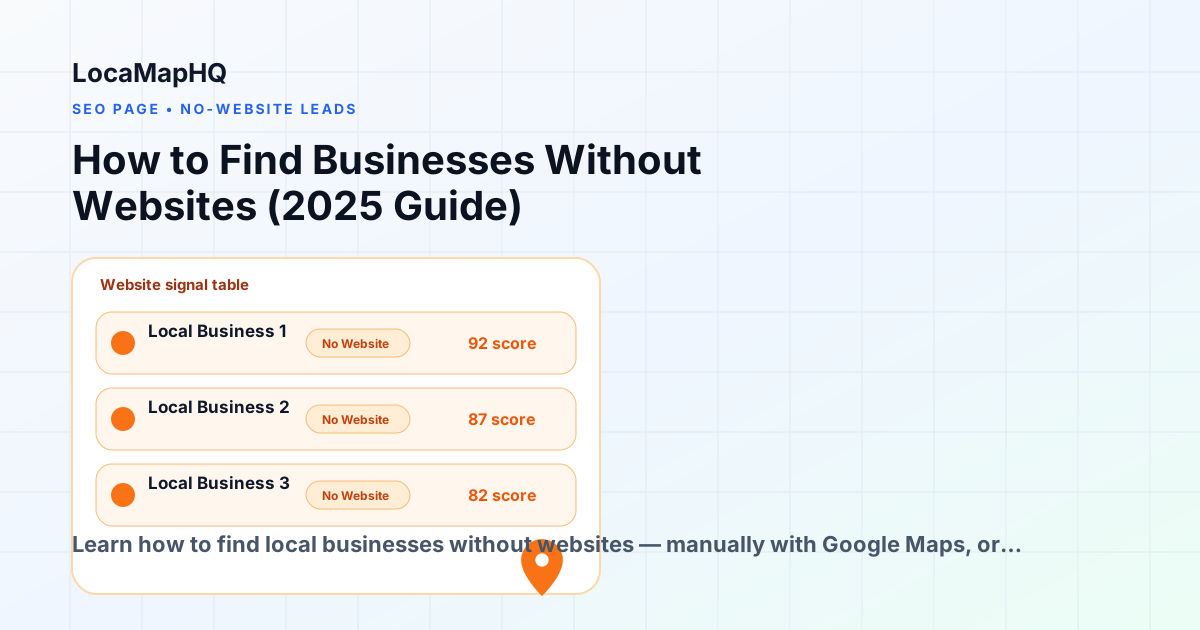
Finding local businesses without websites is one of the most direct paths to web design leads. When a business has no website, the need is clear, the pitch writes itself, and you are not competing against an existing vendor relationship. The challenge is finding these businesses efficiently and at a scale that supports consistent outreach. Manual research on Google Maps works — you can search any industry in any city, click each listing, and note which ones have no website link. But the process is slow: reviewing 50 businesses can take an hour or more, and you still need to organize everything you find into a usable format. LocaMapHQ automates the identification step. Search any city and industry combination, and the tool flags no-website businesses directly in the results without requiring you to open each listing individually. Whether you are a freelance web designer building your first local pipeline or an agency running weekly prospecting sessions, this workflow helps you find and qualify prospects faster than manual research alone. Results will vary based on targeting, outreach quality, market conditions, and data availability.
Why finding no-website businesses manually is slow
- Google Maps does not flag businesses without websites — you must click each listing individually and look for a website link, which adds time to each record and compounds quickly across large searches.
- No structured export: copying business names, phone numbers, and addresses into a spreadsheet is repetitive work that introduces errors and inconsistency across different searches or team members.
- Easy to miss businesses when scrolling through Maps results, especially in dense urban markets where results are paginated or display only 20 visible listings at a time.
- Review counts and website status are both visible in Google Maps, but there is no way to filter, sort, or export by either signal — every qualification decision requires manually switching between the map and the listing panel.
- No way to save or organize prospects during research without building your own spreadsheet system from scratch every time you run a new prospecting session.
- Manual research does not scale: what works for one person prospecting one city is difficult to repeat consistently across multiple cities, industries, or team members running simultaneous campaigns.
The manual method: Google Maps + spreadsheet
- 1Open Google Maps and type a business type and city into the search bar — for example, 'plumbers in Denver' or 'electricians in Nashville'. The left panel will populate with business listings for that industry in that area. You may need to scroll the map or click 'Search this area' to see additional results beyond the initial set.
- 2Click the first business listing to open the detail panel on the left side. Look for a website link in the listing details. If there is no website link listed, this business does not have a website connected to their Google Business Profile.
- 3If the business has no website, copy the business name, phone number, and street address into a row in your prospecting spreadsheet. Add a column for 'website status' and note 'No website' for this record so you can filter later.
- 4If the business does have a website link, click it and spend 30–60 seconds evaluating it: Is the site mobile-friendly when you resize the browser? Does it load in under 3 seconds? Does it have current service information and contact details? If the site is clearly outdated or low-quality, note it as a secondary redesign prospect.
- 5Return to the search results and click the next listing. Repeat the same process — checking for a website, evaluating quality if one exists, and noting the details in your spreadsheet. This rhythm takes practice before it feels efficient.
- 6After reviewing the visible results, check whether Maps is showing additional businesses below the fold or behind a 'More places' link. Scroll through all available results before moving to the next city or industry.
- 7After reviewing 30–50 businesses, sort your spreadsheet by website status to separate no-website businesses at the top. Add a notes column for any context that will help personalize outreach — such as the type of services the business offers or whether they have strong reviews relative to their competitors.
- 8Before reaching out to any prospect, do a quick verification search: type the business name into Google to confirm there is no website the listing missed. Some businesses have sites that are not connected to their Google Business Profile, and pitching them without this check can undermine your credibility.
A faster approach with LocaMapHQ
- 1Sign up for LocaMapHQ and go to the search dashboard. No spreadsheet setup is required — the interface is built for agency prospecting from the start, with results already structured for qualification.
- 2Enter your target city and industry — for example, plumbers in Denver or restaurants in Austin. The search returns a structured list of local businesses in that market with key signals already surfaced per business.
- 3Review the results list. No-website businesses are flagged directly in the search view, so you can identify prospects without clicking into each listing. Review count is also visible per business for additional qualification layering.
- 4Apply your qualification criteria: for web design prospecting, prioritize businesses flagged as no-website. For a secondary tier, look for businesses with low review counts that may also benefit from a web presence to support review acquisition.
- 5Save qualified no-website prospects inside LocaMapHQ with a single click. Saved prospects are organized by search, so you can run multiple city and industry searches and keep each campaign's results separate.
- 6Export your saved prospect list as a clean CSV file formatted for CRM import or direct use in your outreach tool. The export includes business name, address, phone, category, and website signals in a consistent format.
Who this is for
- Web design agencies looking for local businesses to pitch a new website build — particularly agencies that want to move beyond referrals and build a consistent outbound prospecting workflow they can run on a schedule.
- Freelance web designers building their first client pipeline in a specific city or niche, who need a structured way to identify prospects without spending hours on manual Google Maps research.
- Outbound sales teams at digital agencies running city-specific prospecting campaigns, where consistency of research quality across team members matters as much as individual speed.
- Local marketing consultants who identify underserved businesses in their area as part of a broader discovery process before pitching any service, not just website builds.
- Agencies specializing in contractor, restaurant, or healthcare website niches who want to run recurring prospecting sessions in their target verticals across multiple cities.
- Studio owners and solo operators who need to balance their time between client delivery and business development, and want prospecting to take hours rather than days to produce a usable list.
How LocaMapHQ helps
No-website signal displayed per business in search results — no clicking through individual listings to discover which businesses lack a website presence.
Search any city and industry combination to find no-website businesses in markets where you want to grow your client base or test new niches.
Save qualified prospects during research without a separate spreadsheet — saved lists are organized by search and accessible for export any time.
Export a clean, consistently formatted CSV ready for CRM import, with business name, phone, address, category, and opportunity signals included in each row.
Consistent research quality across team members — everyone sees the same signals in the same format, reducing variation in how prospects are identified and qualified during a session.
Review opportunity signals at a glance rather than visiting each business website individually, making a focused prospecting session produce results that would take hours with a purely manual approach.
Pre-outreach qualification checklist
- Confirm no-website signal: do a Google search for the business name and city to verify they do not have a site that is simply not linked in their listing.
- Check review count: businesses with 10 or more reviews are typically more established and have a stronger existing customer base — a sign they have revenue to invest in a website.
- Review business age: more established businesses are generally better prospects than very new ones who may be still figuring out their direction.
- Identify the business owner: search the business name and city to find the owner's name, which allows for more personalized outreach rather than a generic greeting.
- Check for social media presence: a business with active social profiles but no website is a strong prospect — they already invest in their online presence and understand its value.
- Confirm the business is still operating: look for reviews from the last 60–90 days or recent social activity. Avoid outreach to businesses that may have closed or paused operations.
- Note the industry context: some industries have clear digital needs that can be referenced in your pitch — booking systems for salons, photo galleries for contractors, menus for restaurants.
- Assess market competitiveness: check whether the business's top competitors in the same city have websites. If competitors are online and this business is not, the pitch angle writes itself.
- Check for any existing digital footprint: Linktree pages, free Wix or Google Sites, or Facebook business pages suggest the business knows it needs a web presence but has not invested properly yet.
Common mistakes to avoid
Assuming every flagged business definitely has no website
The no-website signal is based on available public data — specifically whether a website is connected to the Google Business Profile. Always do a quick Google search of the business name and city before outreach. Some businesses have websites that are simply not linked to their listing, and pitching them without checking this first undermines your credibility immediately.
Targeting businesses that already have a strong web presence
Prioritize businesses with clear no-website signals first. Pitching businesses that already have functional, modern websites results in low response rates and takes time away from prospects with genuine needs. Build your initial list around the strongest signals and work down from there as your capacity allows.
Building massive prospect lists without qualifying by industry fit
Narrow your search to industries where you have existing case studies or relevant experience. A focused, well-researched list of 50 prospects in one niche consistently outperforms a broad unqualified list of 500 across every industry. Specificity in your list also makes personalization far easier.
Not reviewing prospects before outreach
Always check a prospect's actual web presence before sending a pitch. A quick manual verification step prevents outreach to businesses that already have websites, and it gives you specific context to mention in your opening line — which noticeably improves response rates compared to generic templates.
Pitching only via email when the business has no website
If a business has no website, they likely do not have a publicly listed email address either. For no-website prospects, phone outreach or direct mail can be more effective than cold email. Research the contact channel that actually reaches the owner before choosing your outreach method.
Practical examples
Contractor niche in a mid-sized market
A freelance web designer searches 'roofers in Boise, Idaho' and identifies 12 businesses out of 38 results with no website detected. She verifies each with a quick Google search, confirms 10 are genuinely without a web presence, and reaches out with a short phone call referencing the specific gap. Her conversion rate on this type of targeted outreach is notably higher than the generic cold email campaigns she ran previously. Results depend on targeting, offer, market conditions, and outreach quality.
Restaurant niche in a large urban market
A small web design agency searches 'restaurants in Portland, Oregon' and finds over 200 listings. Rather than reviewing all of them, they filter focus to businesses with no-website flags and fewer than 15 reviews — a signal the business is relatively new and may have interest in building a proper online presence. They build a focused list of 40 prospects and run a targeted campaign using menus, online ordering, and local SEO as pitch angles.
Healthcare niche prospecting
A digital agency that specializes in healthcare websites searches 'chiropractors in Tampa' and identifies several practices without websites. They cross-reference each with social media presence to confirm ongoing activity, then reach out with a pitch referencing how other chiropractors in their market attract patients via their website. Messaging tied to a specific business outcome — patient acquisition — outperforms general design pitches in this niche.
Find no-website businesses in any city.
LocaMapHQ helps web design agencies identify local businesses without websites by city and industry. Search a specific market, review no-website flags and review signals, save your best prospects, and export a clean list ready for outreach — without the manual Google Maps clicking. Whether you are building your first prospect list or running weekly prospecting sessions for your agency, the workflow is the same: search, qualify, save, export. Start with a free search and see what the opportunity looks like in your target city.