
Guide
Google Maps Lead Generation Guide for Agencies
Google Maps is the most comprehensive source for local business data. This guide covers how to use it for lead generation — manually and with tools — and how to identify the businesses most likely to become clients.
Why Google Maps is the best source for local business leads
Google Maps contains the most complete database of local businesses available. Every registered business appears in Google Maps, regardless of whether they have a website, use social media, or appear anywhere else online. A business that has existed for 20 years without a website still has a Google Maps listing.
This makes Google Maps uniquely valuable for lead generation. It captures businesses that are invisible everywhere else — the plumber who works entirely on referrals, the landscaper who has never run an ad, the dentist who has not updated their web presence in a decade. These are exactly the businesses that represent the strongest opportunity for web design agencies and local SEO consultants.
Each Google Maps listing provides: business name, address, phone number, category, website link (or absence), rating, review count, hours, and often photos. This data, combined with the website signal, is sufficient to identify and qualify local business prospects.
The data signals available in Google Maps listings
Google Maps listings contain several fields that function as lead qualification signals:
- Website field: Present or absent. Absence is the primary signal for web design outreach. Presence opens the question of website quality.
- Review count: Indicates business activity and customer volume. A business with 50+ reviews is actively operating. One with 0 reviews may be inactive or very new.
- Average rating: Indicates reputation. High ratings (4.0+) mean the business has earned customer trust. Combined with no website, this is a strong signal.
- Review recency: Recent reviews confirm current activity. A listing with all reviews from 3+ years ago may indicate a business that has slowed or closed.
- Business category: Defines the industry and informs your outreach angle. Categories like plumbing, roofing, HVAC, landscaping, dental, and auto repair are high-opportunity for agencies.
- Photos: The presence and quality of photos indicates how actively the business manages their Google presence. Listings with no photos often indicate low digital engagement overall.
The manual Google Maps research process
The manual process for Google Maps lead generation works as follows:
- Open Google Maps and search for a specific industry in a specific city (e.g., "plumber Seattle")
- Review the list of results in the left panel. Note which listings have a website link and which do not
- Click each listing to see the full profile: review count, rating, review recency, phone number, and website status
- Record the businesses that match your criteria (no website + strong reviews + recent activity)
- Note the phone number and any available contact information for outreach
This process works for small research runs. A single researcher can review 20-30 listings in an hour using manual methods. The limitation is scale — reviewing 80+ businesses in a large market manually is time-consuming and inconsistent.
Using tools to automate Google Maps lead generation
Tools like LocaMapHQ are built specifically for the city + industry research workflow. Instead of clicking through each listing manually, you enter a city and industry and the tool returns structured results with opportunity signals already evaluated.
Benefits of using a purpose-built tool versus manual research:
- Results are returned with no-website flags applied — no need to check each listing
- Review count and rating data is displayed per result without clicking through
- Lead scores combine multiple signals into a single priority ranking
- Prospects can be saved within the tool and exported as a clean CSV
- A search that takes 3 hours manually takes under 10 minutes
For agencies doing consistent prospecting across multiple markets, the time savings from a purpose-built tool compound significantly over weeks and months.
The research workflow: city + industry
The most productive approach to Google Maps lead generation is the city + industry framework. Instead of searching broadly, you define a specific target market:
- City: A specific metro area or city. Start with markets you know. Denver, Phoenix, Atlanta, Nashville, Charlotte, and similar mid-size metros are productive starting points — large enough to have many businesses, small enough that the market is not completely saturated with established competitors.
- Industry: A specific business category. Plumbing, roofing, HVAC, landscaping, dental, auto repair, contracting, and restaurant are the most productive for web design and local SEO outreach.
A single city + industry search returns a manageable list of 30-200 businesses depending on market size. From that list, you can identify your 20-30 highest-opportunity prospects and build a focused outreach batch.
Qualifying prospects from Google Maps data
Not every business on a Google Maps search result is worth pursuing. Qualifying efficiently requires a consistent decision framework. A simple framework:
| Signal | Weight |
|---|---|
| No website | High (primary signal) |
| 30+ reviews | High (proves business activity) |
| 4.0+ average rating | Medium (quality signal) |
| Recent reviews (last 6 months) | Medium (confirms current operation) |
| Phone number visible | Medium (enables outreach) |
| Photos present | Low (indicates some Google management) |
A business that scores high on the top three signals — no website, 30+ reviews, 4.0+ rating — is a priority prospect. These businesses have demonstrated demand but are invisible to the customers who search online before calling.
The export process: from research to outreach
Once your prospect list is built, export it in a format you can use for outreach. A clean export should include:
- Business name
- Phone number
- Website (or "none")
- Review count
- Average rating
- Primary category
- Opportunity signal (the specific reason they qualified)
The opportunity signal column is the most important for outreach. It tells you, for each prospect, exactly what to reference in your opening message. "You have 47 reviews and no website" is a more effective opening than a generic pitch about web design services.
LocaMapHQ exports a CSV with these fields pre-populated, formatted for direct import into common CRMs.
What to do with businesses that have a website
Not all valuable prospects lack a website. For businesses with a website, the research shifts from "is there a site?" to "is the site effective?". Key quality signals for existing websites:
- Is the site mobile responsive? (Test on a phone)
- How fast does it load?
- Does it have a clear contact form or booking option?
- Are there service-specific pages or just a homepage?
- Are reviews or testimonials visible?
- When was it last updated? (Copyright year in footer is a quick proxy)
Businesses with an outdated or low-converting website are a redesign or optimization opportunity. The pitch is different from the no-website pitch, but the research process is the same.
Scaling the Google Maps lead generation workflow
Once you have the workflow running in one market, scaling is mechanical. The same process applies to every city + industry combination:
- Search the target city + industry
- Review results for opportunity signals
- Save qualified prospects
- Export and add to outreach pipeline
- Move to the next combination
Agencies that build this as a weekly system — one research session per week producing a new batch of qualified prospects — maintain a consistent pipeline regardless of referral volume. The workflow is predictable, the results are measurable, and it scales with available research time.
Common mistakes when using Google Maps for lead generation
Agencies that try manual Google Maps lead generation at scale consistently encounter the same obstacles. Understanding them before you start saves significant time.
Skipping the website quality check and focusing only on no-website businesses
Businesses without websites are the clearest opportunity, but they are not the only one. Businesses with outdated, non-mobile-friendly, or clearly inadequate websites represent a significant and often overlooked prospect segment. After filtering for no-website businesses, review the remaining businesses with websites for obvious quality gaps. A dentist with a 2012-era website and no online booking is a strong redesign prospect.
Treating Google Maps as a complete prospect database
Google Maps is the most comprehensive local business database available, but listings can be incomplete or outdated. Businesses sometimes close without updating their listing. Phone numbers change. Website links become stale. Treat Google Maps data as a starting point for qualification, not as a verified and current database. Verify key details for priority prospects before investing significant outreach effort.
Not tracking which searches have been conducted
Without a log of past searches, agencies frequently re-prospect the same businesses in the same city multiple times, sending duplicate outreach and wasting effort. Maintain a simple record of the city, industry, and date of each search conducted. This record also allows you to re-run high-performing searches on a cadence to surface new businesses that have appeared since the last search.
Mixing multiple niches and cities in the same outreach campaign
Personalized outreach that references the specific niche and city produces better results than generic outreach sent to a mixed list. If your outreach message references plumbing contractors in Phoenix, it should only go to plumbing contractors in Phoenix. Organize your prospect list by city-niche combination and write specific outreach for each segment.
FAQ: Google Maps lead generation for agencies
How many businesses can I typically find in a city-niche search?
Search volume varies significantly by city size and industry density. A search for plumbers in a major metro area might surface 100+ businesses. A search for a specialty trade in a smaller city might surface 15–25. The useful number is not the total results but the number of businesses with qualifying signals — typically 20–40% of total results depending on the industry.
How long does a manual Google Maps prospecting session take vs. using a tool?
Manual research takes 3–5 minutes per business for checking the listing, assessing the website, and copying data to a spreadsheet. A structured tool like LocaMapHQ surfaces these signals during the search itself, taking seconds per result review rather than minutes. For 50 businesses, that is the difference between 2.5–4 hours and 15–25 minutes.
Can I build a full outbound system using only Google Maps data?
Yes. Many agencies run their entire outbound pipeline on Google Maps data — identifying businesses with opportunity signals, qualifying by review count and category, finding contact information, and building outreach campaigns. The approach is proven and scalable. The key is whether you do the research manually (free but slow) or with a structured tool (faster and more consistent at scale).
Practical block
Local lead signal block
| Signal | What to review | Why it matters | Score cue |
|---|---|---|---|
| Reviews | Count and recency | Shows activity and demand | 30+ recent reviews |
| Website status | Missing or thin site | Supports offer fit | Gap visible |
| Category | Exact service match | Keeps outreach relevant | Clear niche |
| Location density | Nearby competitors | Shows local opportunity | Market depth |
Workflow for turning this guide into a prospect list
Use the article topic as a focused research lane: choose one city, one local business category, and one visible opportunity signal before saving prospects. The goal is a reviewed list with notes, not a raw export. Keep no-website, weak-website, local SEO, and niche-fit opportunities separated so the follow-up angle stays specific.
Lead quality checklist for this topic
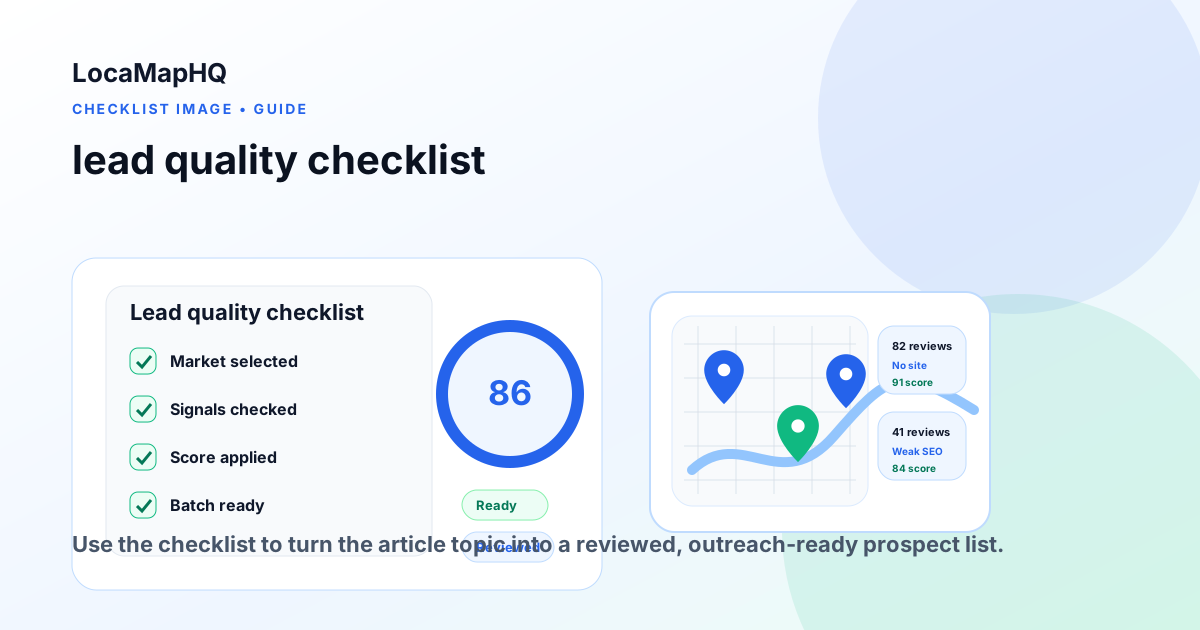
Before a business enters an outreach batch, confirm that the signal is visible, relevant, and tied to a service your agency can provide. Look for active businesses, clear contact paths, strong reviews or local demand, and a gap you can explain without overstating outcomes.
Key takeaways
- Start with one city, one industry, and one visible opportunity signal.
- Review each business before outreach so the list stays relevant and respectful.
- Use LocaMapHQ to support search, saving, and export while keeping final qualification decisions in your workflow.
Conclusion
Strong local prospecting comes from focused research, careful review, and a list your team can act on. Use the workflow above to narrow the market, identify relevant signals, and prepare cleaner outreach batches without assuming that any tool can guarantee outcomes.
Start your Google Maps lead research
LocaMapHQ automates the Google Maps research workflow. Search by city and industry, review opportunity signals, and export qualified leads.