
Alternatives
Google Maps Lead Generation Alternatives for Agencies
This guide is for agencies using public local business listings for market research who need a practical way to turn google maps lead generation alternatives for agencies into a reviewed local prospecting workflow. The common pain is simple: manual map research turns into messy tabs, screenshots, and unqualified spreadsheets. The goal is a cleaner process for reviewing public business signals, saving only relevant prospects, and exporting a list for planning.
Direct answer: Google Maps lead research should be treated as public business discovery, not automatic scraping or proof of intent. Use public listing details to identify candidate businesses, then manually verify fit, contactability, website status, and outreach relevance. Use the process below as decision support, not as a promise of replies, rankings, clients, or revenue.
Executive summary
The short version for google maps lead generation alternatives for agencies
Quick answer
Google Maps lead research should be treated as public business discovery, not automatic scraping or proof of intent. Use public listing details to identify candidate businesses, then manually verify fit, contactability, website status, and outreach relevance.
Working definition
In LocaMapHQ, this topic is treated as a reviewed agency workflow: choose a market, identify public business signals, validate the opportunity manually, save useful notes, and export only records with a clear next step.
Decision framework
Separate discovery, qualification, compliance review, and outreach planning so your team knows what each step is allowed to prove.
When not to use this approach
Do not use this workflow for guaranteed outcomes, private data collection, automated outreach decisions, or campaigns where your team cannot verify the reason for contacting a business.
- Key takeaway: start narrow so each prospect can be reviewed with context.
- Quality bar: every exported row should have a visible signal, fit note, and next action.
- Human review: final outreach, compliance, and fit decisions stay with your team.
- Best next step: run one focused city-and-industry test before scaling the workflow.
Why this topic matters for local prospecting
Google Maps Lead Generation Alternatives for Agencies is most useful when it is part of a focused local business research workflow. Instead of starting with a broad list, agencies get cleaner results by choosing one city, one industry, and one visible opportunity signal before reviewing prospects.
The goal is not to contact every business in a market. The goal is to identify businesses that appear relevant, active, and worth manual review. LocaMapHQ can support that research step by helping teams search by city and industry, compare local presence signals, save qualified businesses, and export a list for outreach planning.
Practical workflow
- Choose a narrow market: Start with a city and industry combination that matches your offer, portfolio, or agency focus.
- Review visible signals: Look for website status, local listing quality, review count, rating, recency, and whether the business appears active.
- Save only relevant prospects: Keep businesses where the observed signal gives you a specific and respectful reason to continue research.
- Add notes before outreach: Record the signal, service fit, and any manual checks needed before a call, email, or CRM handoff.
- Export a reviewed list: Move the final list into a spreadsheet, CRM, or outreach planning tool after qualification.
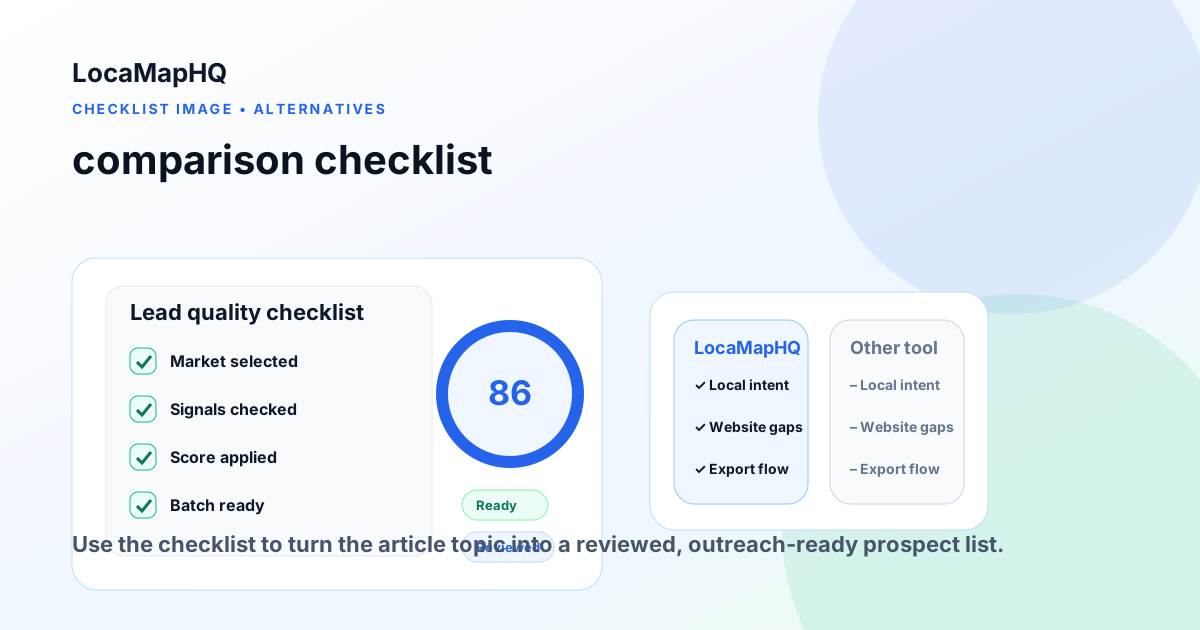
Checklist before you use the list
- The business appears open, active, and relevant to the service you sell.
- The opportunity signal is specific enough to reference without sounding generic.
- The offer matches the industry, market size, and likely business need.
- The record has a practical contact path, such as a phone number or website form.
- The list is segmented so no-website, weak-website, and local SEO prospects are separate.
Common mistakes to avoid
The biggest mistake is treating prospect research as a raw export problem. A large list is not automatically a useful list. Review each business, remove poor-fit records, and keep the reason for inclusion visible before outreach.
Another common mistake is mixing different opportunity signals into one message. A business without a website, a business with an outdated website, and a business with weak local SEO signals usually need different outreach angles. Segment the list before writing copy.
How LocaMapHQ helps
LocaMapHQ is built for local business prospect research. It helps agencies search by city and industry, review website and local presence signals, save prospects, and export lists for planning. It does not guarantee replies, rankings, revenue, clients, or complete data; outcomes depend on targeting, offer, timing, follow-up, and market conditions.
For broader context, review the local business lead workflow, no-website prospecting guide, and web design prospecting guide.
Conclusion
A better prospecting workflow starts with narrower research, clearer qualification, and a list your team can actually act on. Use this topic as one part of a repeatable process: search carefully, review signals, save only relevant records, and export the final list for compliant outreach planning.
Practical block
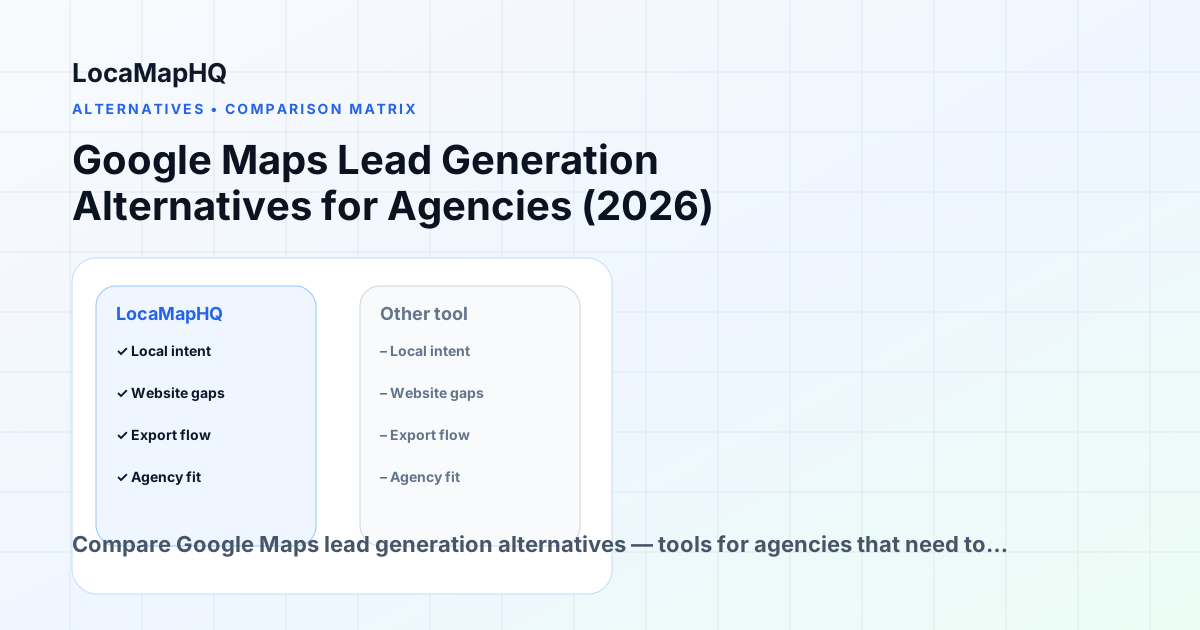
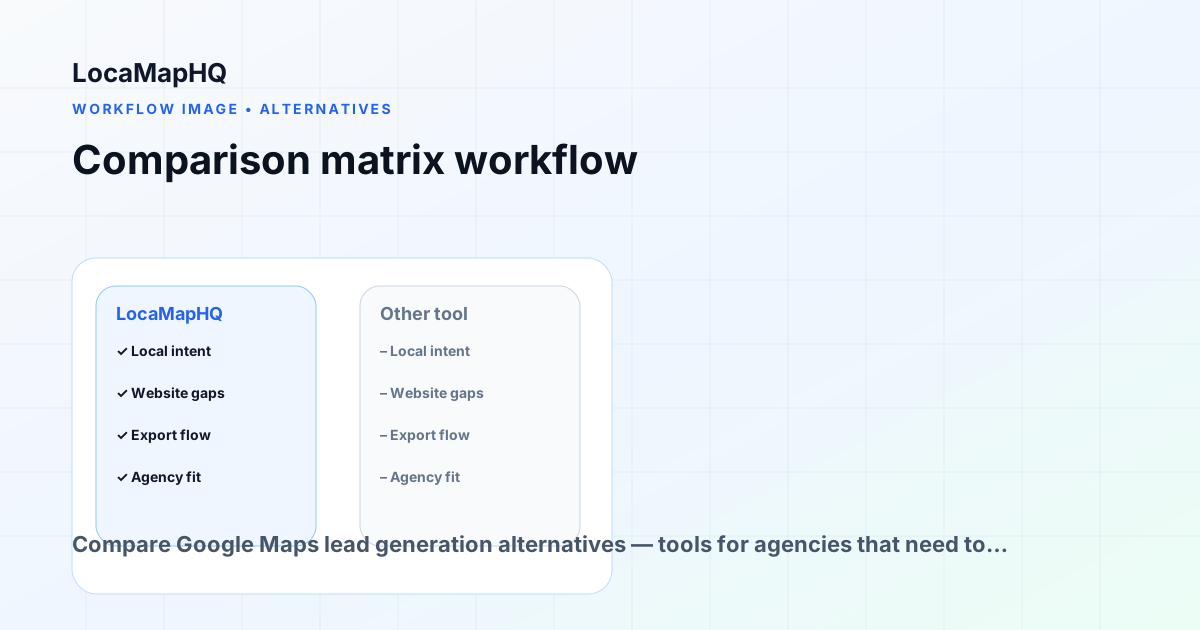
Comparison matrix
| Workflow | Manual search | Spreadsheet | LocaMapHQ process |
|---|---|---|---|
| Find prospects | Slow | Requires copied data | City and industry search |
| Review signals | Inconsistent | Manual notes | Structured opportunity review |
| Save leads | Browser tabs | Rows and columns | Saved lead list |
| Export | Copy/paste | Already in sheet | CSV export after review |
Decision framework for this topic
Separate discovery, qualification, compliance review, and outreach planning so your team knows what each step is allowed to prove.
A practical prospecting workflow should answer five questions before anything is exported: which market are we researching, which visible signal matters, how will we verify it, what segment will the business enter, and what next action is appropriate? This keeps the article useful for real agency operations rather than turning it into a keyword page.
If you are still shaping the workflow, start with the LocaMapHQ feature overview, then compare the process with the prospecting checklist and the lead qualification worksheet. Teams that need a product step can move from research into dashboard search, while technical teams can review the API documentation before building a custom workflow.
| Gate | Question | Action |
|---|---|---|
| Market | Does this city, niche, or category match the service you sell? | Keep only focused markets. |
| Signal | Is there a visible reason to review the business? | Document the signal in plain language. |
| Fit | Can your offer plausibly help without exaggerating outcomes? | Segment by offer fit. |
| Action | Can your team take a respectful next step this week? | Export only actionable records. |
Workflow to apply
- Define a city and business category.
- Review public business details and website status.
- Save only businesses with a specific reason for review.
- Add a plain-language note.
- Export a qualified segment rather than a raw dump.
Original LocaMapHQ methodology
Information gain framework for Google Maps Lead Generation Alternatives for Agencies
Short definition: The Public Listing Opportunity Matrix is LocaMapHQ’s editorial method for turning map-based discovery into a reviewed research workflow.
Executive summary: For agencies using public local business listings for market research, the useful question is not “can we export more businesses?” It is “which businesses have enough visible evidence, offer fit, and actionability to deserve the next review step?” Use this framework to make google maps lead generation alternatives for agencies decisions more consistent across reviewers.
Prospect Priority Matrix
Score each prospect from 1–5 in four categories. Prioritize records where at least three categories score 4 or higher.
| Score area | What to check | High score means |
|---|---|---|
| Visible need | Website, profile, review, CTA, or local presence gap | The gap can be explained clearly |
| Business value | Niche economics, service value, competitive market | The business can plausibly benefit |
| Offer fit | Match between your service and observed signal | Your offer is relevant without exaggeration |
| Actionability | Contact path, notes, compliance, next step | The team can act this week |
Decision tree
- 1. Market fit: Does the city and niche match your offer? If no, do not export.
- 2. Signal fit: Is there a visible website, local SEO, listing, or trust gap? If no, keep researching.
- 3. Business fit: Does the business appear active and commercially relevant? If no, remove it.
- 4. Outreach fit: Can your team explain the observation respectfully? If no, save for research only.
- 5. Export decision: Export only records with a clear note, segment, and next action.
LocaMapHQ proprietary scoring library
These scores are LocaMapHQ editorial methodologies for reviewing local business opportunities. They are designed to make agency research more consistent, not to predict purchase intent or campaign outcomes.
| Framework | Scoring criteria | Interpretation | Limitations | Best use cases |
|---|---|---|---|---|
| LocaMapHQ Opportunity Score | Visible need, business value, offer fit, actionability, and reviewer confidence. | 80–100 means prioritize for manual review; 60–79 means keep in research; below 60 means do not export yet. | It is an editorial prioritization score, not a prediction of buying intent, replies, revenue, rankings, or campaign performance. | Comparing businesses inside the same city and niche after a reviewer has documented the visible signal. |
| Website Opportunity Score | Website presence, mobile experience, CTA clarity, service depth, trust signals, and speed/performance review. | High scores suggest a clearer website audit or redesign conversation; low scores may mean the website is adequate or the business context is unclear. | A website gap does not prove budget, urgency, or willingness to buy. Agencies should still verify fit and timing. | Web design, redesign, conversion, mobile, and trust-signal prospecting workflows. |
| Digital Visibility Score | Google Business Profile completeness, review depth, review recency, local page relevance, website consistency, and category fit. | High scores indicate a business may deserve a local visibility diagnostic; mixed scores should stay in research. | Public visibility signals do not prove rankings or search demand and should not be used to promise outcomes. | Local SEO, GBP optimization, local content, and reputation-process research. |
| Prospect Readiness Score | Segment clarity, contact path, specific note, compliance review, owner assigned, and next action. | A prospect is ready only when the team can explain why it is on the list and what respectful next step follows. | Readiness is operational. It does not mean the prospect is ready to buy. | Deciding whether a saved record should move from research to outreach planning. |
| Outreach Difficulty Score | Message specificity, proof needed, compliance sensitivity, competition level, category complexity, and personalization effort. | Higher difficulty means the segment needs more research, a softer offer, or a diagnostic-first message. | Difficulty can change by market, offer, and sender reputation; it should be reviewed after every campaign. | Choosing between outreach segments when the team has limited weekly capacity. |
| Business Modernization Score | Website currency, booking/contact flow, local profile quality, content freshness, trust proof, and operational fit. | High scores suggest the business may benefit from modernization planning; low scores may already have adequate digital basics. | Modernization should be framed as an audit opportunity, not a claim that the business is behind or failing. | Consultants and agencies packaging website, local SEO, and conversion improvements into a practical diagnostic. |
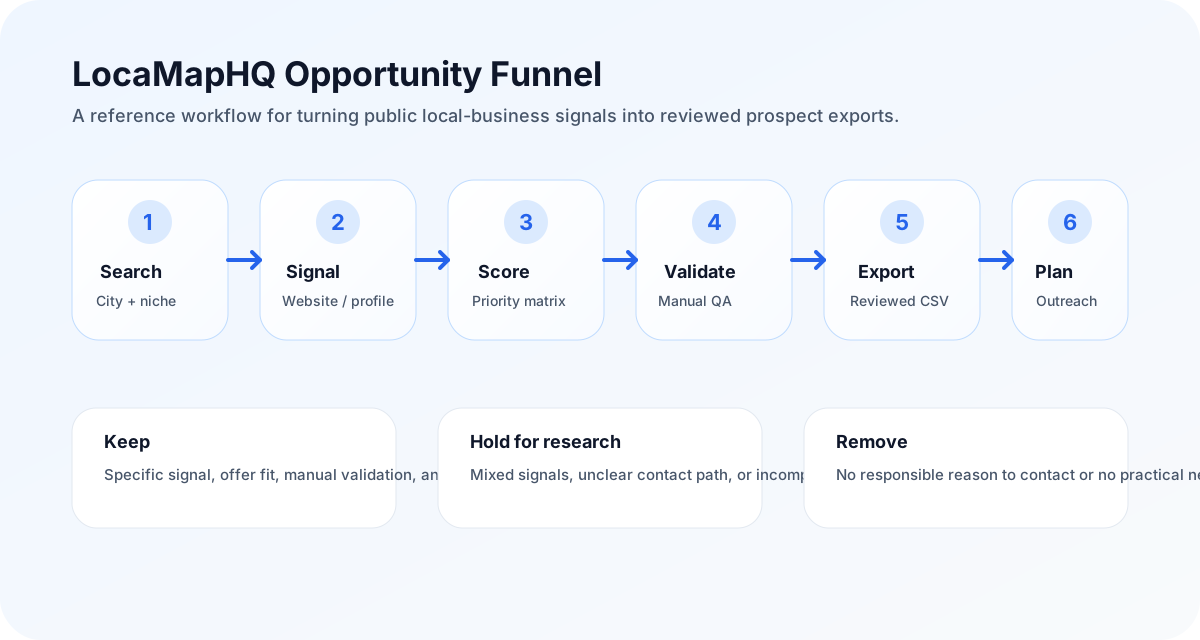
Qualification flowchart
Use this as the review path before a prospect moves from discovery into an outreach-ready export.
Search city + niche
Identify visible signal
Score opportunity
Validate manually
Export reviewed segment
If a business fails any step, keep it in research or remove it. The goal is not maximum export volume; the goal is a list your team can explain and use responsibly.
| Workflow option | Pros | Cons | Best for | Time required | Manual alternative | Automation level | Skill required | Expected outcome |
|---|---|---|---|---|---|---|---|---|
| Manual research | Flexible and easy to start | Slow, inconsistent, and easy to over-export | One small market or a one-off validation pass | Hours per city/niche batch | Maps tabs, website checks, and a spreadsheet | Low | Research discipline and spreadsheet hygiene | A manually reviewed sample list |
| LocaMapHQ workflow | Structured search, saving, notes, scoring, and export | Still needs human qualification and compliance review | Repeatable city, industry, save, review, and export workflows | Minutes to build a candidate batch, plus review time | Recreate the same workflow in Sheets | Medium | Agency targeting and offer-fit judgment | A cleaner qualified prospect segment |
| Custom API workflow | Fits internal systems and custom reporting | Requires technical setup and internal QA | Teams that need prospecting data inside an existing system | Implementation project plus recurring QA | Manual import/export process | Higher, depending on integration | Developer resources and data QA process | A controlled internal prospecting workflow |
When to use LocaMapHQ
Use LocaMapHQ when your team needs a repeatable way to search local businesses, save candidates, and export reviewed lists.
When not to use it
Do not use it to scrape private data, bypass platform rules, or treat public listing presence as buying intent.
Manual alternative
The manual alternative is tab-by-tab public listing research, copied business details, and later spreadsheet cleanup.
Educational case studies, not customer claims
These examples are realistic training scenarios for agency teams. They are not real customers, results, or performance claims. Use them to teach reviewers how to connect visible signals to a safer next workflow.
Example Plumbing Company
- Initial state
- Active local service company with emergency jobs, several recent reviews, and a thin website with no clear estimate path.
- Website issues
- Mobile page loads slowly, services are grouped onto one generic page, and the quote CTA is buried below the fold.
- Google Business Profile observations
- Public profile appears active, but review recency and service coverage should be checked manually before outreach.
- Why it scores well or poorly
- Scores well on business value and visible website need, but outreach difficulty is medium because emergency-service messaging must be specific and respectful.
- Recommended outreach
- Offer a short website and quote-flow review focused on helping visitors find the right service page and contact path.
- Expected workflow
- Save as web design + conversion review, add a note about mobile CTA clarity, export only after checking the website and contact route.
Example Dental Clinic
- Initial state
- Established clinic with strong reputation signals but thin treatment pages and inconsistent appointment messaging.
- Website issues
- Service pages lack patient-focused explanations, trust proof is scattered, and booking options are not consistently visible.
- Google Business Profile observations
- Review depth may be strong, but category fit, location relevance, and appointment information should be verified.
- Why it scores well or poorly
- Scores well on business value and modernization potential; outreach difficulty is higher because healthcare messaging requires extra care.
- Recommended outreach
- Offer a patient journey and local visibility review rather than promising new patients or rankings.
- Expected workflow
- Save as local SEO + website trust review, verify service pages, and prepare a diagnostic-first message.
Example Roofer
- Initial state
- Seasonal high-value contractor with visible local competition and mixed website quality.
- Website issues
- Project proof is limited, service-area pages are thin, and the request-estimate path is unclear on mobile.
- Google Business Profile observations
- Review count and recency should be compared against nearby competitors before assigning priority.
- Why it scores well or poorly
- Scores high when reviews, service value, and website gaps align; scores lower if contactability or business activity is unclear.
- Recommended outreach
- Offer a service-area and estimate-flow audit with examples from public pages, not a guarantee of leads.
- Expected workflow
- Save as high-value home service segment, compare local competitors manually, then export a small reviewed batch.
Example Restaurant
- Initial state
- Local restaurant with active reviews but an outdated menu experience and inconsistent hours across public references.
- Website issues
- Menu is hard to read on mobile, ordering/reservation paths are unclear, and event or catering pages are missing.
- Google Business Profile observations
- Hours, location, menu links, and review recency need validation because restaurant data changes quickly.
- Why it scores well or poorly
- Scores well for practical modernization if the restaurant is active; outreach difficulty rises if margins or seasonality are uncertain.
- Recommended outreach
- Offer a menu, hours, and mobile conversion cleanup review rather than a broad marketing pitch.
- Expected workflow
- Save as website update segment, verify menu/hours, and use a narrow operational improvement angle.
Example Law Firm
- Initial state
- Professional service firm in a competitive market with unclear intake flow and thin practice-area content.
- Website issues
- Practice pages are generic, attorney trust proof is limited, and consultation CTAs are inconsistent.
- Google Business Profile observations
- Practice area, location, review context, and advertising sensitivity should be manually reviewed.
- Why it scores well or poorly
- Scores high on business value but outreach difficulty is high because legal services require precise, conservative language.
- Recommended outreach
- Offer a trust, intake, and practice-page diagnostic without implying legal marketing guarantees.
- Expected workflow
- Save as professional-services diagnostic, verify practice fit, and keep outreach educational and compliance-aware.
Agency priority playbook
Prioritize first
High-value service categories where the visible problem maps directly to your offer and can be verified quickly.
Keep in research
Businesses with mixed signals, unclear contact paths, stale profile details, or a weak connection between the signal and your offer.
Do not export yet
Records with no specific reason for outreach, uncertain business activity, sensitive claims your team cannot support, or no responsible next action.
Editorial opinion: agencies usually get more reference value from a smaller list with strong notes than a large export that forces generic outreach. The operational advantage is not just speed; it is clearer judgment.
Interactive review checklist
Expand each checkpoint before exporting a segment. This uses native HTML so it works without extra JavaScript.
Daily workflow
Pick one city and one niche, review visible signals, save only records with a specific note, and remove rows that cannot be explained.
Weekly workflow
Compare segments, export only the batch your team can review, prepare compliant messaging, and document what the first outreach pass teaches.
Monthly workflow
Review which niches produced useful conversations, which signals were noisy, and whether scoring rules need to change.
Team handoff
Give the next owner the segment, score, proof point to verify, recommended angle, compliance status, and next action.
Recovery process
If a campaign underperforms, inspect the search criteria, segment quality, message specificity, proof point, and follow-up process before increasing volume.
Downloadable worksheets
These templates are simple CSVs so an agency can use them in Sheets, Excel, Airtable, or a CRM import workflow.
Authority sources to validate with
Use official sources when a page makes claims about search quality, business profiles, speed testing, compliance, or market context. These sources do not replace your own review, but they keep the workflow grounded in reliable references.
Validation checklist before outreach
- The business appears active and relevant to the city/niche being researched.
- The visible signal is specific enough to explain without exaggeration.
- The website, profile, or listing information has been manually spot-checked.
- The offer matches the observed issue and the likely business context.
- The record has a practical next action and a segment label.
- The outreach plan accounts for applicable law, consent, and opt-out expectations.
Assumptions and limitations
- Scores are editorial decision aids, not objective predictions.
- Public business signals can be stale, incomplete, or misinterpreted without manual review.
- Outreach decisions should account for applicable laws, platform rules, consent, and opt-out expectations.
- LocaMapHQ helps organize research; it does not guarantee leads, clients, revenue, rankings, or response rates.
Signals and tradeoffs to review
Information gain comes from the review step. Instead of relying on a single datapoint, compare several signals and decide whether they point to the same opportunity. If they conflict, slow down and keep the record in research instead of moving it directly into outreach.
- Public listing completeness
- Website presence
- Review count and recency
- Category relevance
- Phone/contact path
- Business activity indicators
Limitation: Public listing data can be incomplete or stale, and platform terms still matter. Review applicable policies before using any data workflow. That is why the final decision should stay with a human reviewer who understands the client offer, the market, and the outreach rules.
Mistakes to avoid
- Treating raw exports as leads
- Ignoring platform terms
- Skipping manual verification
- Using one outreach angle for every listing
Field notes for agency teams
The most useful lists tend to include fewer rows and better notes. A note like “no website listed, 46 recent reviews, high-value emergency service, verify contact page before outreach” is more useful than a spreadsheet with hundreds of businesses and no reason for inclusion. Notes also protect the team from repetitive messaging because each segment has a clear angle.
Review the first exported batch manually before scaling. If more than a third of the records require heavy cleanup, the search was too broad. If every record uses the same reason for outreach, the segment may be strong. If no record has a specific reason, the list should not move into outreach yet.
For deeper context, pair this guide with the complete website audit checklist, the local SEO audit checklist, and the prospecting tracker template. If the workflow fits your team, review pricing and credits or create an account to try the local prospecting workflow.
Sources and editorial notes
These references support the article’s approach to people-first content, public business research, platform policy awareness, and safer agency workflows.
- Google Search Central: creating helpful, reliable, people-first content — Used as the editorial standard for usefulness, originality, and reader-first structure.
- Google SEO Starter Guide — Supports clear titles, descriptions, crawlable links, and helpful page organization.
- U.S. Census Business Dynamics Statistics — Useful context for small-business market research and business formation trends.
- Google Business Profile — Official product reference for business profiles used in local visibility review.
- Google Business Profile help — Reference for editing and maintaining business profile information.
- Google Maps Platform Terms — Important policy context for teams evaluating map-based data workflows.
- Google Maps terms — Reference point for responsible use of Google Maps services.
Related guides, templates, and next steps
Checklists and templates
Money pages
Learn pages and resources
When the research direction is clear, move naturally from education to action: run a focused search, qualify the saved businesses, export the reviewed segment, and compare the workflow against your current spreadsheet or manual research process.
Key takeaways
- Start with a focused market, offer, and visible signal instead of a broad export.
- Use the decision frame: Separate discovery, qualification, compliance review, and outreach planning so your team knows what each step is allowed to prove.
- Document why each business stayed on the list so outreach can stay specific and respectful.
- Keep human review in the workflow; prospecting signals do not guarantee replies, revenue, rankings, or clients.
Recommended next workflow
Use this article to build one reviewed prospecting batch: choose a market, identify the visible signal, save only relevant businesses, add notes, and export the segment your team can act on this week. For this topic, the recommended decision frame is: Separate discovery, qualification, compliance review, and outreach planning so your team knows what each step is allowed to prove. The common mistake is exporting too early and forcing outreach to fix weak qualification.
LocaMapHQ helps organize local business research and exports. It does not guarantee performance outcomes, and your team should still review fit, compliance, offer, and messaging before outreach.
Why use LocaMapHQ here?
It keeps the search, save, qualification notes, and CSV export workflow in one place so the team is not rebuilding the same spreadsheet process every week.
Who benefits most?
agencies using public local business listings for market research who already know their offer and need a cleaner way to research local markets.
When should you stay manual?
Use a manual spreadsheet first if you are still defining your ICP, testing one tiny market, or need a one-off research pass.
What happens after export?
Review the CSV, remove weak-fit records, segment the list, prepare compliant messaging, and track what your team learns from the campaign.
Related local lead guides
Frequently asked questions
These FAQs focus on agency workflow, local prospecting decisions, Google Maps research considerations, CSV export planning, and the limits of public business signals.
Why look for a Google Maps alternative?
Manual Google Maps research works for small batches but does not scale. For systematic prospecting across multiple cities and industries, dedicated tools are far more efficient.
What is the best alternative to manual Google Maps research?
LocaMapHQ is purpose-built for this workflow — search by city and industry, see opportunity signals immediately, save and export qualified prospects. For raw data extraction, Outscraper is widely used.
Are Google Maps alternatives accurate?
Most alternatives use the same underlying Google Maps data. The difference is in how efficiently they surface and filter that data for prospecting purposes.
Can I still use Google Maps with these alternatives?
Yes. Many agencies use dedicated tools for discovery and export, then verify specific prospects manually on Google Maps before outreach.
How do I choose the right alternative?
Consider your prospecting volume, need for opportunity signals (like website status), technical comfort level, and budget. Purpose-built tools like LocaMapHQ are fastest for agencies; data extractors like Outscraper suit technical users.